Alfred
Drive folders that follow your calendar.
Alfred keeps a Google Drive client/project folder tree in step with your Google Calendar bookings: every booked day gets its dated folder, pre-populated with Photos, Videos and Final Images, before you've picked up a camera.
On an Intel Mac? Download the Intel build
Version 1.0.0October 15, 2026Release notes
- Clients/
- Harbourside Studio/
- 12 Marine Parade/
- 2026/
- Jan/
- 2026-01-14/
- Photos/
- Videos/
- Final Images/
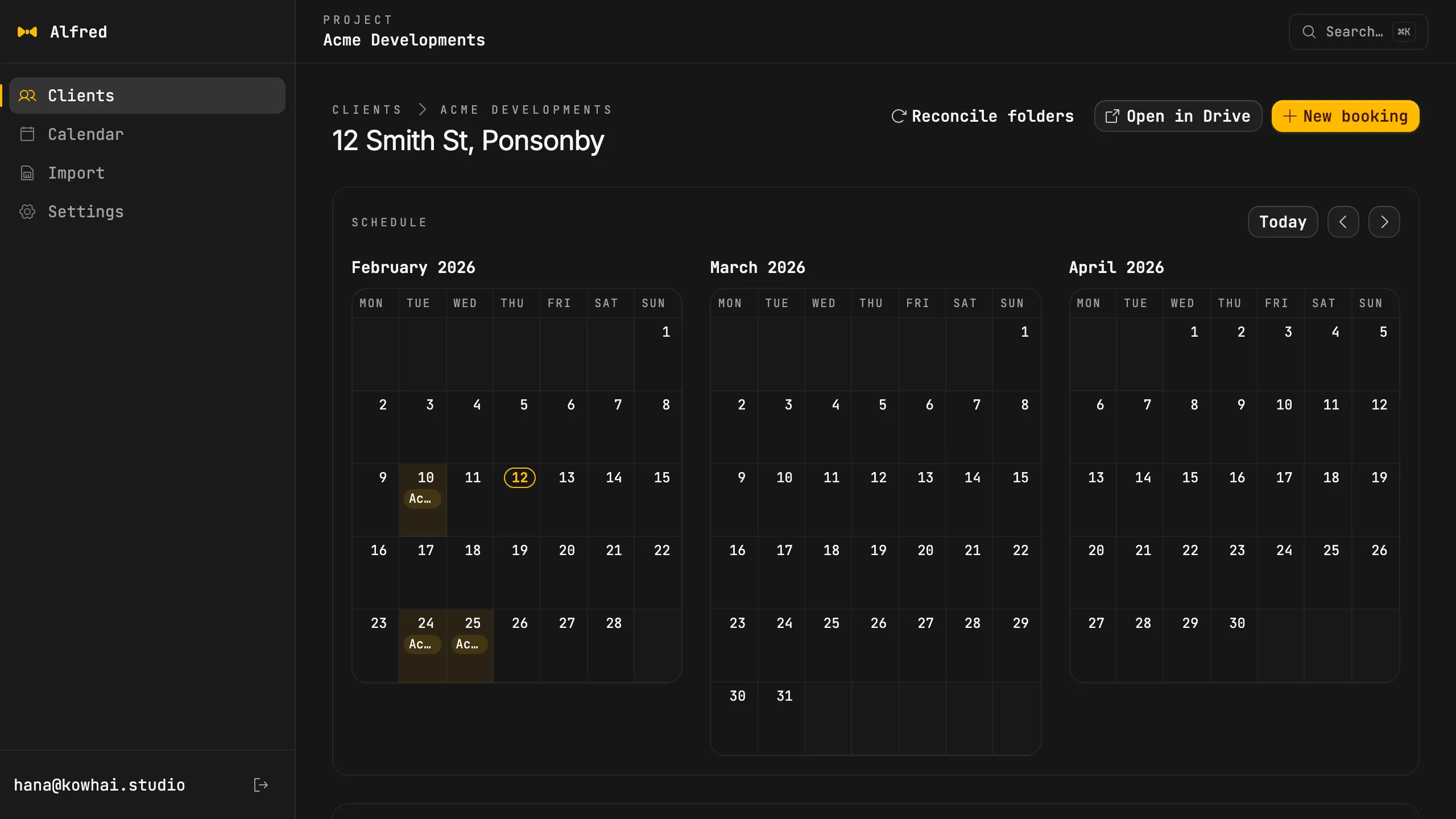
Booked, then built
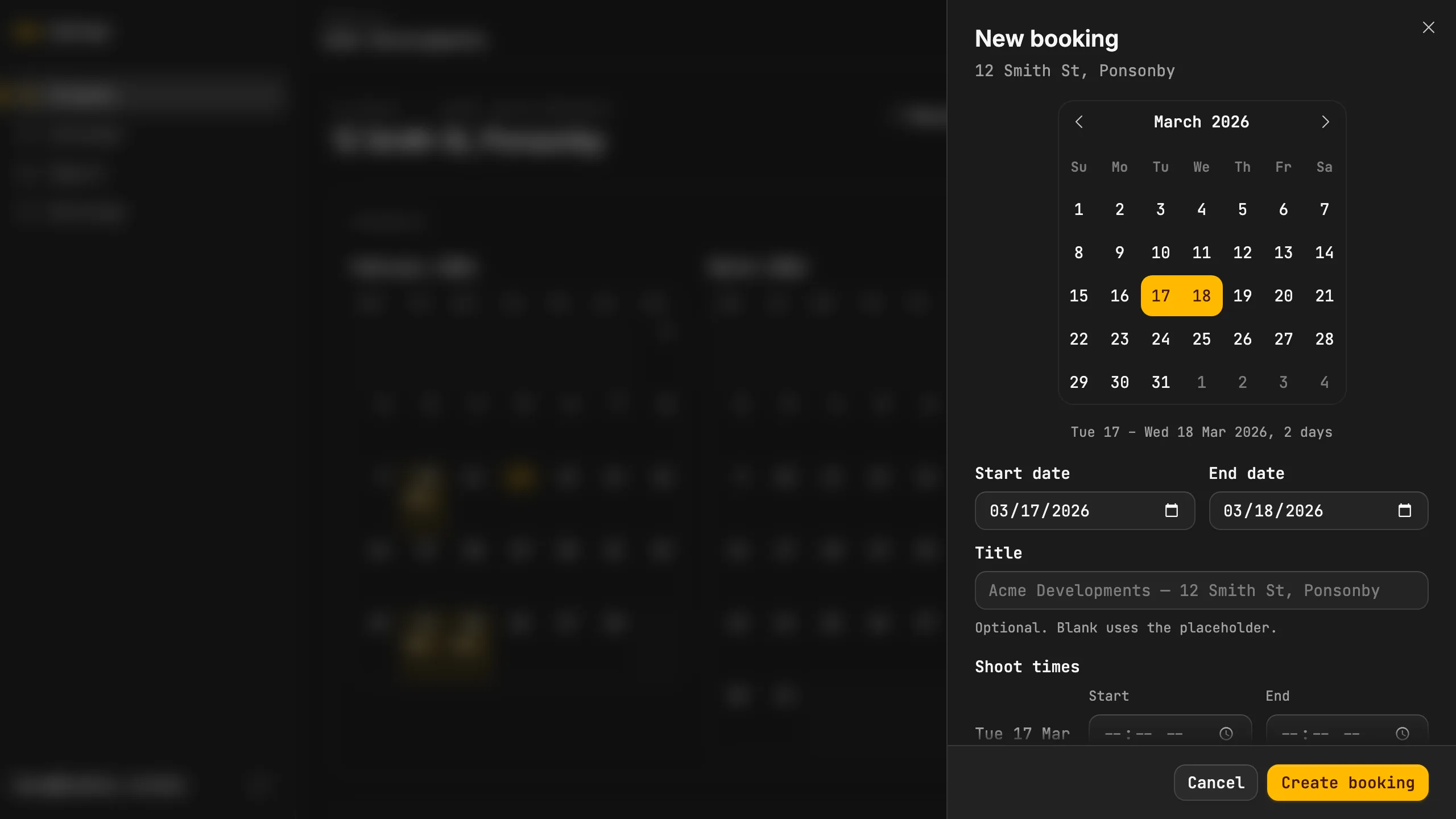
Pick a date range on a project and a preview lists every folder before anything is made. Create the booking and Alfred adds the Google Calendar event and one dated folder for each day, each holding your template subfolders, with the day's folder attached to the event.
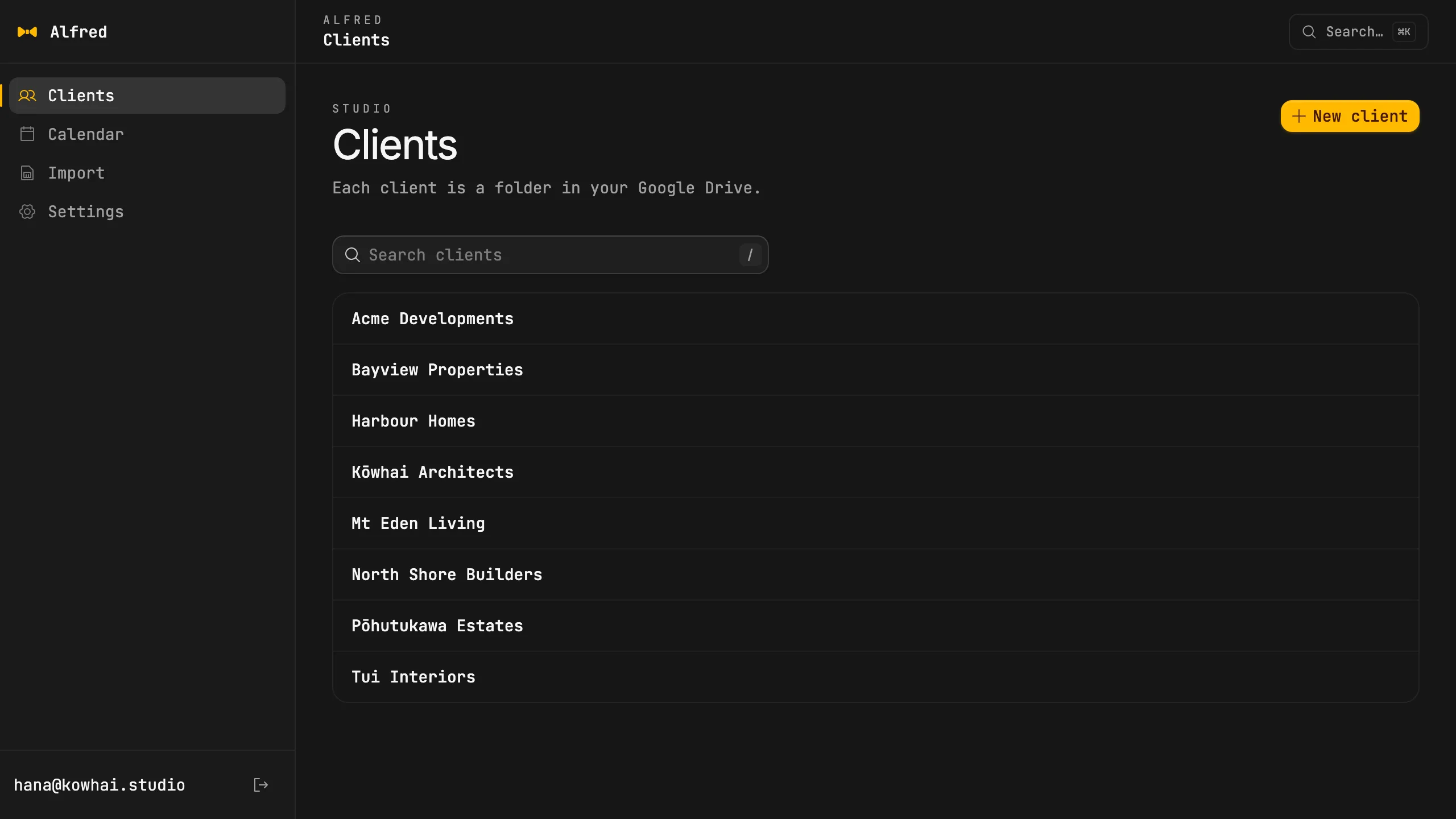
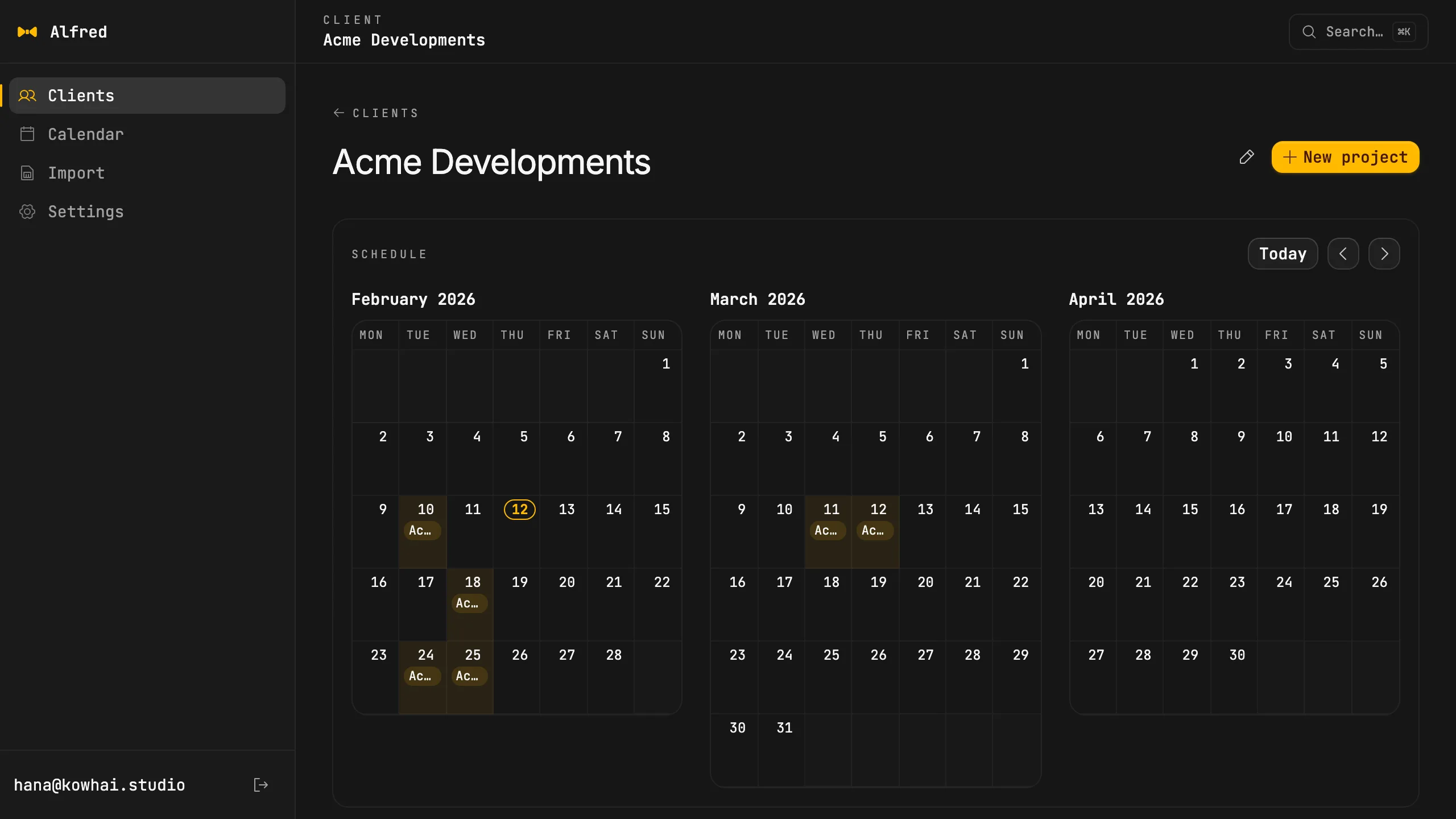
Everything in its place
Every job lands at Clients / Client / Address / Year / Mon / Date, so the folder you want is always where you would look for it. Browse clients, projects and their bookings in the app, with the real Drive folder beside them.
- Client
- A folder under Clients. Opens to its projects and its recent bookings.
- Project
- An address. Its bookings on the left, its Drive folder on the right.
- Booking
- A date range. One Calendar event, one dated folder for each day.
- Open in Drive
- From a project, a booking day or any folder, straight into Google Drive.
Link what's already there
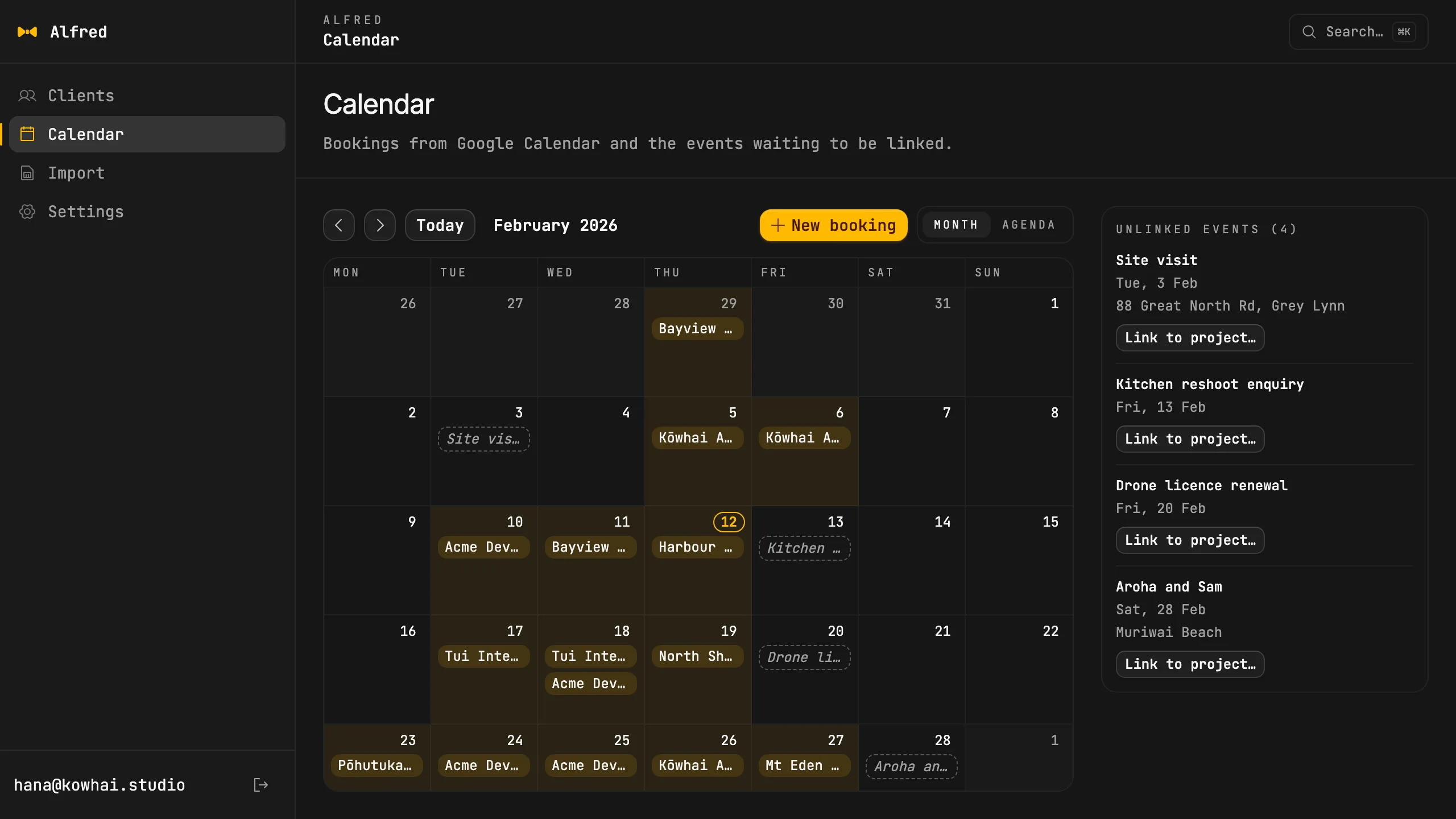
Events you made before Alfred, or from your phone, show up on the calendar as Unlinked. Pick a client and a project for one and it is tagged and given its folders. Alfred never guesses from the title.
Straight from the card
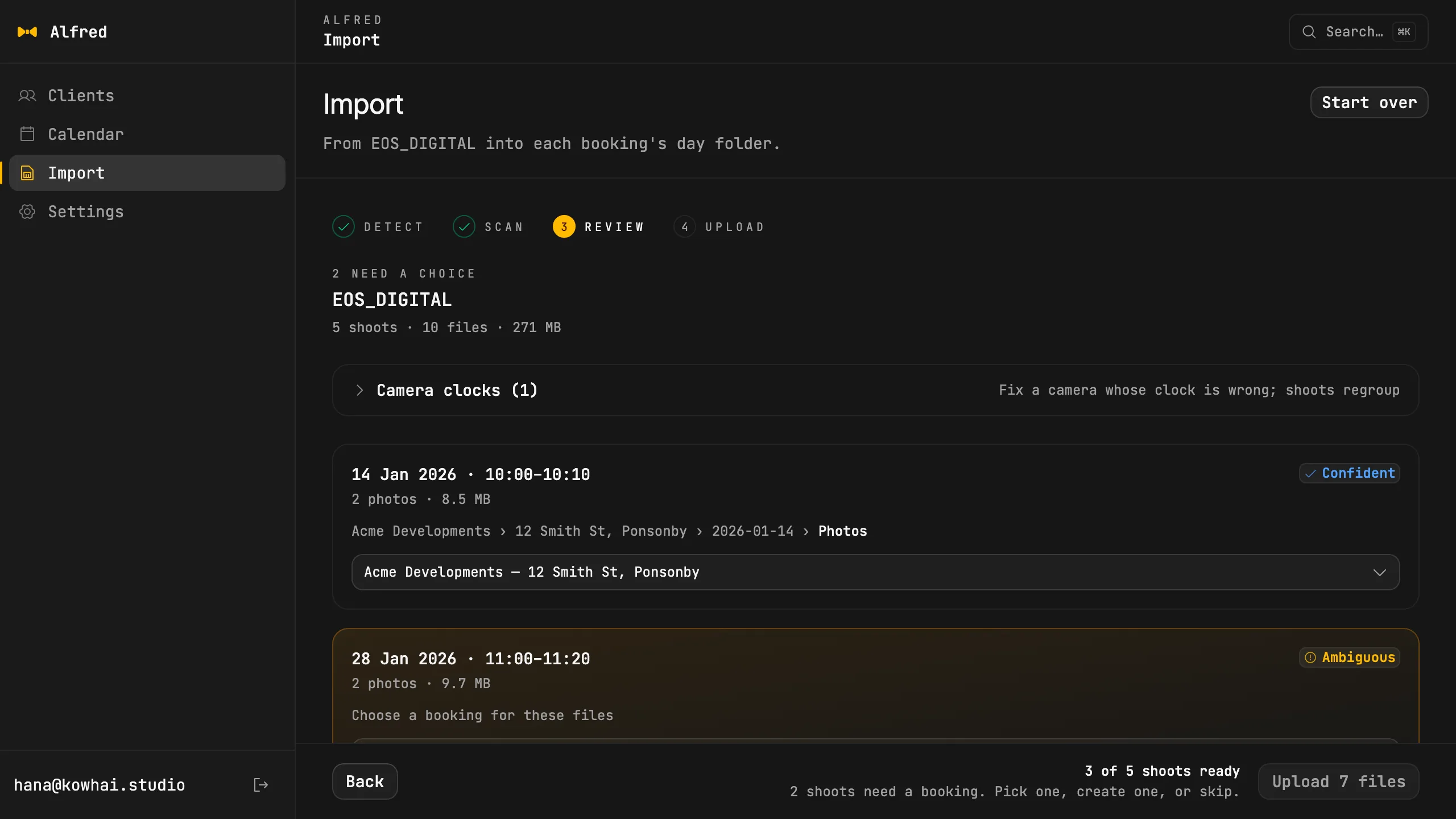
Plug in an SD card and Alfred reads when each file was shot, groups the files into shoots and matches each shoot to that day's booking. Photos and videos upload into the day's Photos and Videos folders, and each file is checked against Drive before it counts as done. Where a day is ambiguous or has no booking, you choose.
Give a booking a shoot window, say 09:00 to 13:00, and two jobs on the same day are told apart by the time on the files.
Reconcile puts it back
Deleted a folder by accident, or a booking stopped half-way? Reconcile re-checks every booking from six months back to eighteen ahead and recreates whatever is missing. Run it whenever you like: nothing is ever made twice.
Checked 25 bookings · repaired 1 · skipped 0
Your template, in your Drive
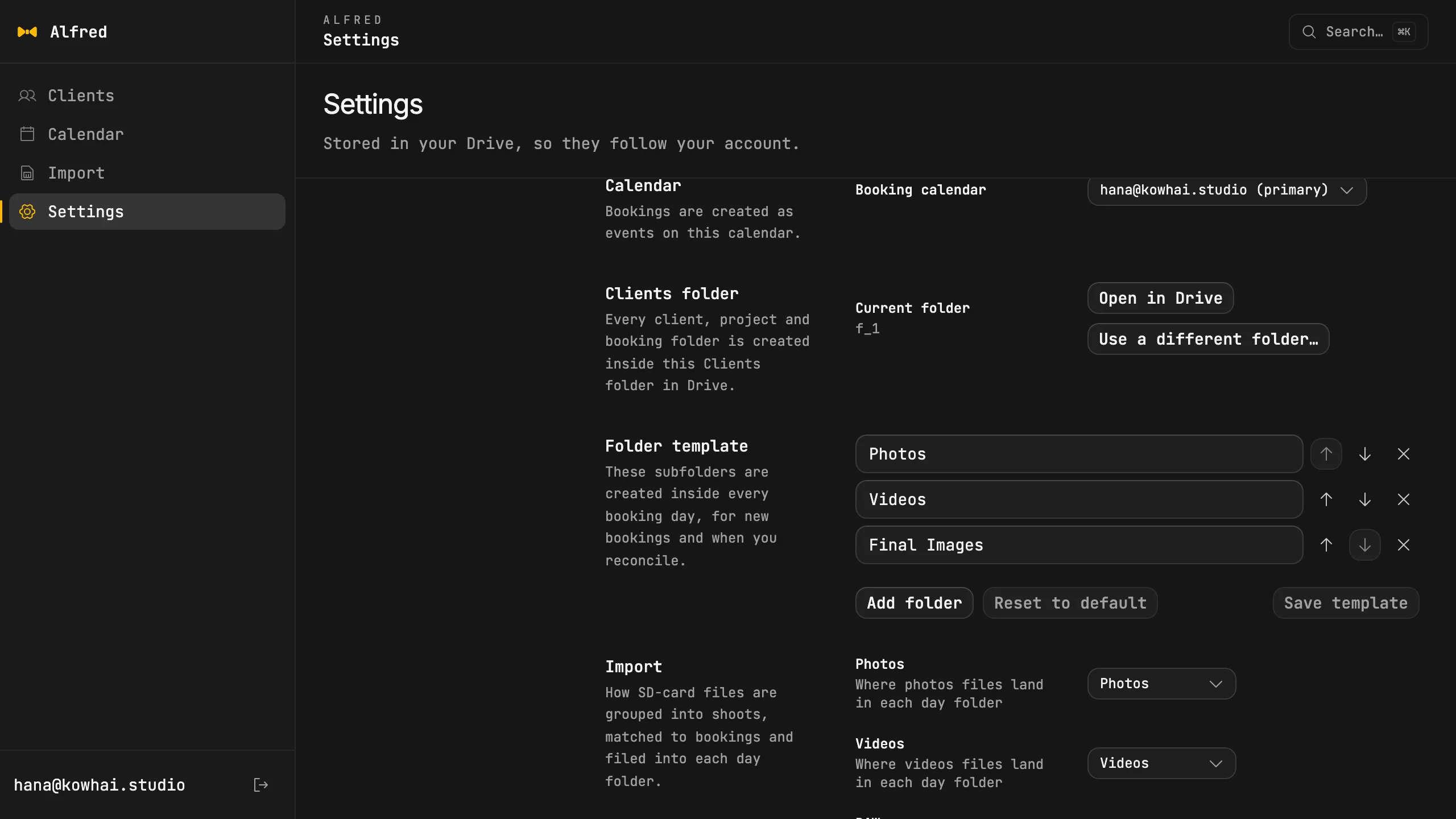
Rename, reorder, add or remove the subfolders every day gets. The template, the calendar choice and the clients folder are saved in Drive itself, so they follow your account to a new machine.
Your Drive, your Calendar
Google Drive is the file system and Google Calendar is the ledger. Alfred talks to Google directly from your machine: there is no Alfred server and no account to create.
Signing in asks for Google Drive and Calendar access, because Alfred has to see the folders and events you already have. The Google sign-in is an Internal OAuth client, so it works for accounts in the Google Workspace organisation that owns it. Your sign-in token stays in the operating system keychain. Release builds also check for updates and send anonymous usage events that carry no client name, address or file.
- Files
- Your Google Drive
- Bookings
- Your Google Calendar
- Settings
- Clients/.alfred in Drive
- Sign-in
- OS keychain
- Alfred server
- None
Questions
Where do my files live?
In your own Google Drive, in a folder called Clients. Alfred only creates folders and a small settings file there, so everything is still reachable from Drive, your phone and anything else you use today.
What does it need?
A Google account with Drive and Calendar, signed in once in your browser, on a Mac (Apple Silicon or Intel) or Windows. It uses your primary calendar unless you pick another in Settings.
Does it delete anything from my card?
Not unless you turn it on. Delete-from-card is off by default, and even when on it runs only after every file has been verified against Drive.
Is it offline?
There is no Alfred server, so the only network it uses is Google's own, plus an update check. Without a connection it cannot read or build folders, because Drive and Calendar are where everything lives.
Be ready before the shoot.
Free for macOS and Windows.
On an Intel Mac? Download the Intel build
Version 1.0.0October 15, 2026Release notes